If someone leaves a useful question on your Instagram post, you can keep it near the top of the conversation by pinning it. Creators and small businesses also use pinned comments for clarifications, corrections and important next steps.
Here is how to pin a comment on Instagram on iPhone and Android, including your own comments after the 2025 feature update. The distinction matters because older tutorials sometimes give the wrong answer about whether your own comment is eligible.
Pin a Comment: Quick Route
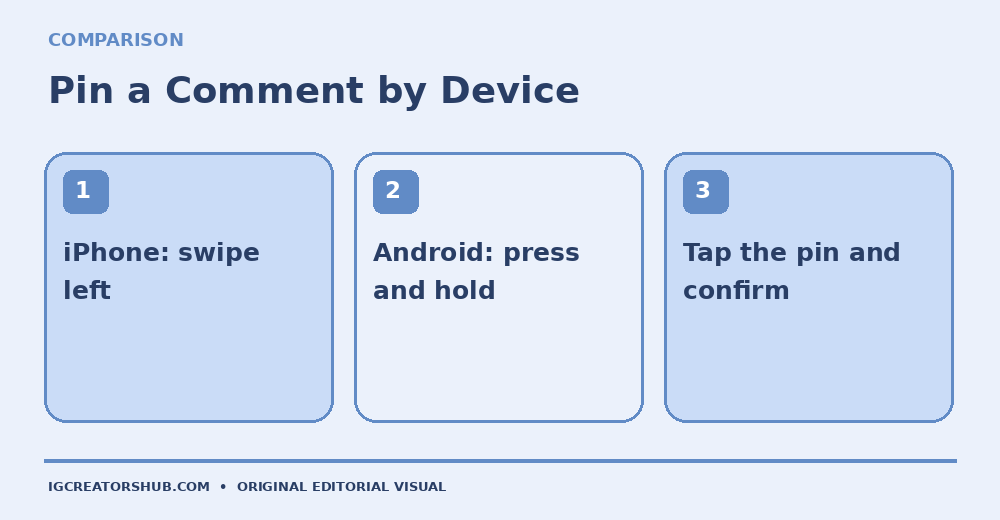
iPhone: Your post → Comments → swipe left → Pin.
Android: Your post → Comments → press and hold → Pin.
Undo: Open the pinned comment and choose Unpin.
- What Pinned Comments Do on Instagram
- How to Pin Someone Else’s Comment on iPhone and Android
- How to Pin Your Own Comment
- How Many Comments Can You Pin?
- How to Unpin or Replace a Comment
- How to Pin Comments on Instagram Reels
- When a Creator Should Pin a Comment
- How to Write a Helpful Pinned Comment
- Why You Cannot Pin a Comment
- Frequently Asked Questions About Pinned Comments
What Pinned Comments Do on Instagram
A pinned comment stays near the top of the comment thread on a post you own, above ordinary replies. This makes it useful for clarifying information that viewers might otherwise miss. It does not replace the main post caption, and it is not a way to pin somebody else’s comment on a post that belongs to another account. The post owner controls the pinning. On current versions of Instagram, you can highlight a follower’s useful comment or your own explanation. A pin is visible context, not evidence that the comment is accurate or that Instagram has endorsed it.
How to Pin Someone Else’s Comment on iPhone and Android
Start in the Instagram mobile app with a post or Reel that you published. You cannot pin comments on another person’s content.
- Open your post and tap the speech-bubble icon to see its comments.
- Find the comment you want to feature and read it carefully before pinning.
- On iPhone, swipe left on that comment to reveal comment actions. On Android, press and hold the comment.
- Tap the pushpin icon or the action labeled Pin.
- Confirm if Instagram asks. Check that the comment now appears with a Pinned label.
A pinned comment from another user may trigger a notification to that commenter. Avoid pinning private details, unverified testimonials or anything that would mislead visitors.
How to Pin Your Own Comment
Some older Instagram tutorials say you cannot pin your own comments. That guidance is out of date: Instagram began rolling out own-comment pinning in September 2025. The update is discussed in Social Media Today’s September 2025 report and Metricool’s 2026 guide.
- Publish your feed post or Reel, then open its comments.
- Write and post a useful clarification, a short answer or a next-step instruction from your own account.
- Find that comment and use the same swipe-left (iPhone) or long-press (Android) gesture.
- Choose Pin if the option is available, and verify the result.
If the option is missing, update Instagram and check that you are signed in as the account that published the content. Feature availability and menu placement can vary by version and account.
How Many Comments Can You Pin?
Instagram commonly supports up to three pinned comments per post. Your own pinned comment uses one of those positions, alongside any follower comments you have chosen. The exact app message is the best place to confirm the current limit on your account. Having multiple pins does not guarantee that all viewers read every one. For a business post, one useful answer to a frequent question may be better than filling every available slot. A product announcement might need one pin for sizing information and another for a genuine customer question; a behind-the-scenes Reel may need no pinned comment at all.
How to Unpin or Replace a Comment
- Open the comments on your post or Reel.
- Locate the pinned comment, usually marked with a pin label.
- Swipe left on iPhone or press and hold on Android, then select the pin control.
- Choose Unpin and confirm if asked.
- To highlight a replacement, find another suitable comment and pin it.
Unpinning does not delete the comment. It simply stops being fixed at the top of the conversation. This matters when a shop sells out, a booking deadline passes or a tutorial requires a correction. Do not leave outdated prices or promises prominent just because they were once accurate.
How to Pin Comments on Instagram Reels
For a Reel you published, open the Reel and its comments, find the comment, then use the same mobile gesture to pin it. The feature is intended to work on posts and Reels, although interfaces can differ. A pinned reply can clarify a tutorial step that viewers misunderstand or identify the material used in a demonstration. It should not be a substitute for accessible captions, essential spoken instructions or a complete product description. If you are planning a Reel, draft the possible clarification in advance but do not post unverified claims simply to occupy the first comment position.
When a Creator Should Pin a Comment
The most useful pin depends on what the post asks readers to do. A freelance illustrator sharing a finished commission might pin an answer about whether similar bookings are open. A home bakery could feature a real question about allergen information while directing customers to its accurate ordering instructions. A consultant introducing a worksheet might pin a brief note pointing to the resource in the profile bio.
A pinned comment should solve one immediate confusion. Consider whether the question would be better answered in the caption, a refreshed graphic or your website. If someone leaves a thoughtful correction, acknowledging it publicly may be more valuable than pinning a promotional message.
Before You Pin a Business Reply
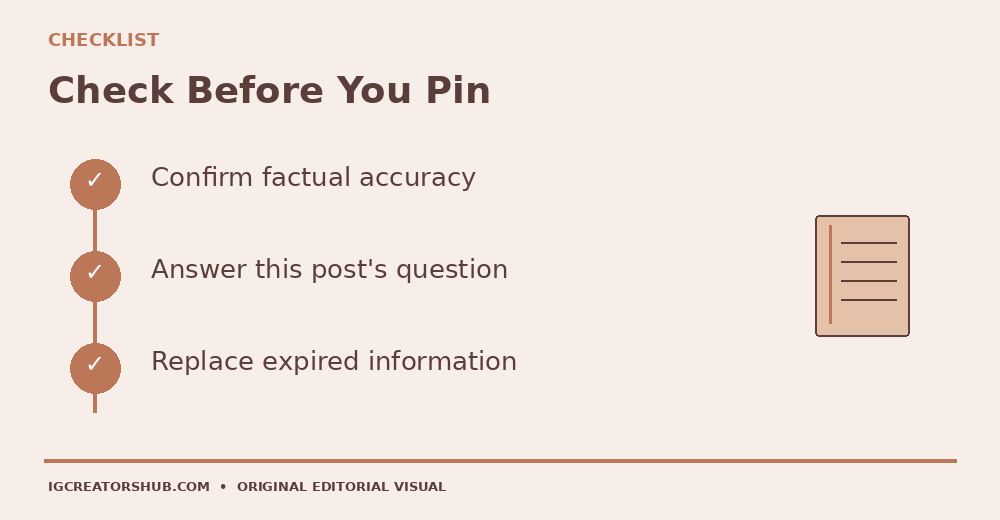
Accurate? Verify prices, dates, links and claims before making them prominent.
Relevant? Choose a comment that answers what this particular audience needs.
Current? Unpin expired offers or corrected instructions promptly.
How to Write a Helpful Pinned Comment
Write a single, clear message for the person viewing the post right now. If you are answering a question, put the answer first. If you are describing a next step, name one realistic action. Avoid fake urgency or an exaggerated promise of more views.
Creator Comment Examples
Portfolio: “The final logo is slide four; the earlier slides show the sketch-to-color process.”
Product post: “The size chart is in slide three. Please check it before placing an order.”
Tutorial: “Correction: the second step uses a soft brush, not a hard brush.”
Service business: “Current appointment details are on the booking page linked in our bio.”
These are examples, not endorsements or real current offers. Your own comment should match the exact post and current business information. Instagram comments do not make ordinary pasted website addresses tappable links.
Why You Cannot Pin a Comment
Before troubleshooting, confirm you own the post. You cannot pin someone else’s comment thread, and you cannot use the feed-post procedure in every Instagram surface.
- Check that you are viewing comments on a post or Reel published by the signed-in account.
- Update the Instagram mobile app and reopen the comments.
- On iPhone, make a short swipe left rather than an aggressive swipe; on Android, press and hold.
- Check whether you have already used the available pin slots.
- Try the mobile app rather than assuming the desktop website offers equivalent comment tools.
If the control still does not appear, report a problem in Instagram’s settings and avoid third-party services that ask for your Instagram password. The absence of one menu item does not establish that Instagram permanently removed the feature.
Frequently Asked Questions About Pinned Comments
Can You Pin Your Own Instagram Comment?
Yes, Instagram introduced this option in 2025. You must own the post and have access to the feature on your app.
Can You Pin a Comment on Someone Else’s Post?
No. The owner of the post controls which comments are pinned to its thread.
Does Pinning Notify the Other Person?
When you pin someone else’s comment, they may receive a notification. Do not assume the action is private.
Does Unpinning Delete a Comment?
No. Removing a pin changes its position, not the comment itself.
Are Pinned Comments the Same as Pinned Profile Posts?
No. Comment pins affect the conversation on an individual post; a pinned profile post stays near the top of your profile grid.
Pinning can make important context easier to find, but it is not a promise of reach or sales. If your next step involves a website, our Instagram bio link-click guide explains what can and cannot be measured. See Metricool’s 2026 pinned-comment overview for additional interface context.